 Tutorial: Creating Qualification Master Tutorial: Creating Qualification Master
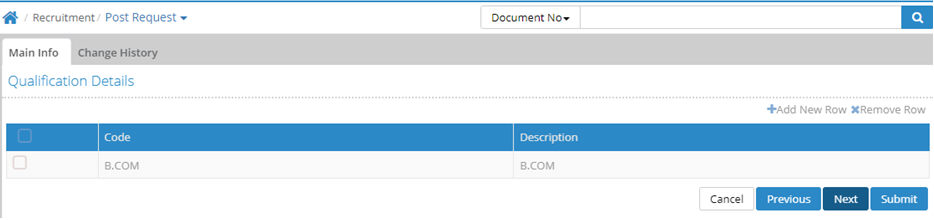
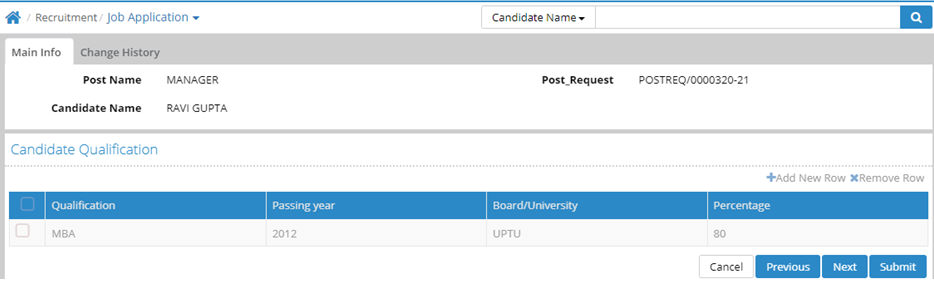
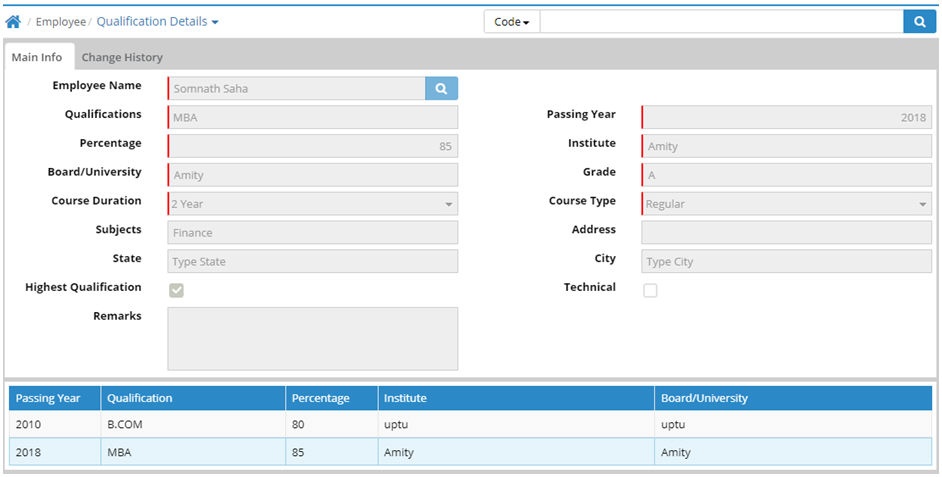
Qualification master is used for uploading post requests against job openings. Qualification type and Qualification stream are required to create a Qualification Master. Qualification master is tagged at the time of Post request, Job Application and Qualification details of an employee in the Employee Master.
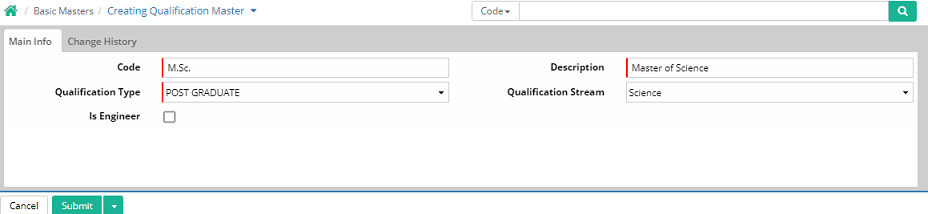
Code: Enter abbreviated name or short name of the qualification. For example 'M.Sc.' for Master of Science, 'B.Com' for Bachelor of Commerce' etc.
Description: Enter full name of the qualification
Is Engineer: It is used for selecting multiple Qualifications as Engineer category. So if Organisation needs the total number of engineers in the Organisation, then on clicking this, users can get the required engineer list in the companies.
Code |
Description |
Qualification Type |
Qualification Stream |
10 |
10 |
HIGHER SECONDARY |
Science |
10+2 |
10+2 |
SSC |
Science |
B.COM |
B.COM |
GRADUATE |
Commerce |
B.TECH |
B.TECH |
GRADUATE |
Engineering |
BA |
BA |
GRADUATE |
Arts |
BA HONS |
BA HONS |
GRADUATE |
Arts |
BBA |
BBA |
GRADUATE |
Management |
CS |
CS |
CERTIFICATE |
Legal |
DIPLOMA |
DIPLOMA |
DIPLOMA |
Business Administration |
LLB |
LLB |
GRADUATE |
Legal |
M.COM |
M.COM |
POST GRADUATE |
Commerce |
M.TECH |
M.TECH |
POST GRADUATE |
Engineering |
MBA |
MBA |
POST GRADUATE |
Management |
PGDBA |
PGDBA |
POST GRADUATE |
Management |
PGDM |
PGDM |
POST GRADUATE |
Management |
Tutorial: Creating Qualification Master
© Gamut Infosystems Limited