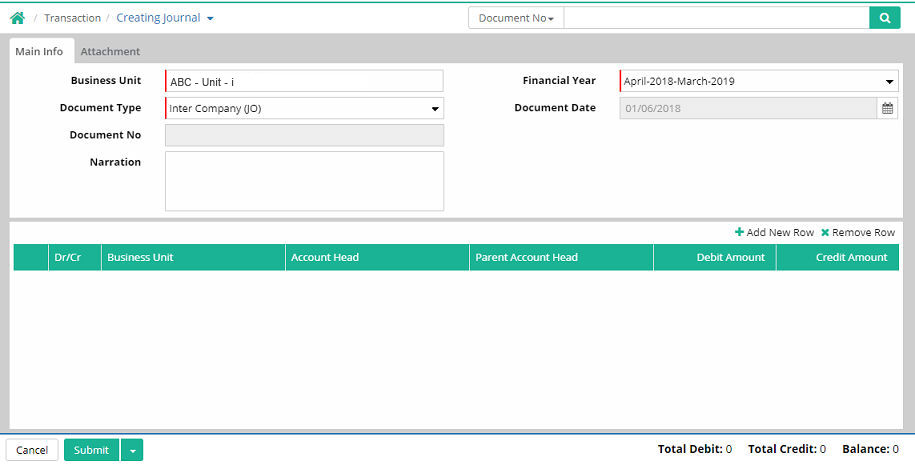
Inter Company Journal Voucher is used to record any type of transactions within two or more Companies.
Business Unit: Select the Business Unit for which journal voucher will be made which comes from Business unit organizer (Administration > Company > Business unit organizer)
Financial Year: Select the financial year.
Document Type: Select the document type as 'Inter Company (JO)'. All of these come from Administration > Company > Document Type. There are some default document types. However user can create their own description of the document types based on the category.
Document
Date:
Enter document date
Document No.: The document number will be generated automatically when the entry is saved.
Narration: Mention a short description about the journal voucher
Add New Row
To make a new entry for Debit, click ‘Add New Row’ link.
A. Routing Info
Select 'Business Unit' and 'Prefix'

B. Main Info
Select Dr, Account Head and enter Amount

C. Other Info
Enter narration

D. Dimension
Enter dimension information
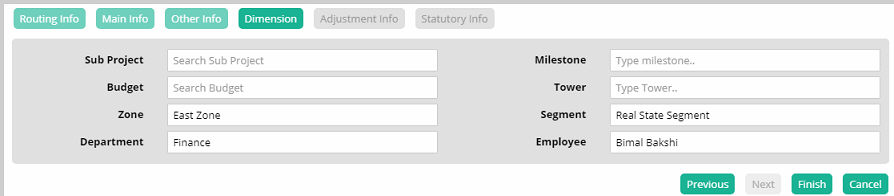
Click 'Finish'. The Journal Entry for Debit gets completed.
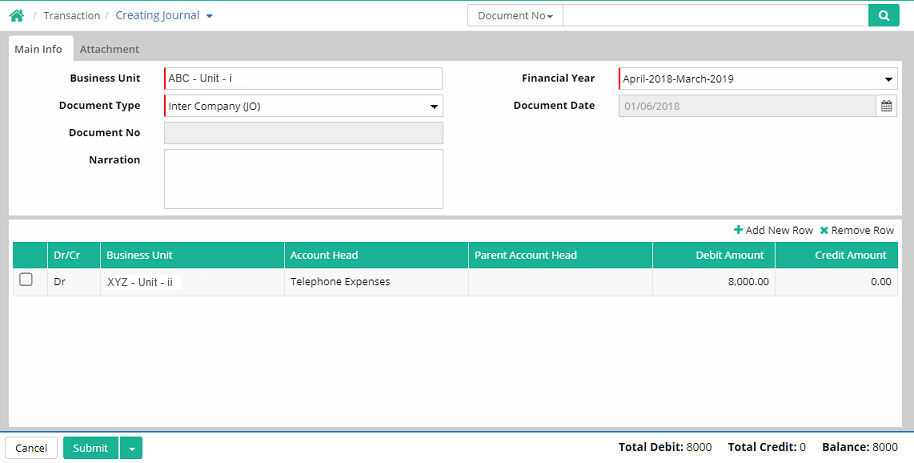
To make a new entry for Credit, click ‘Add New Row’ link again.
A. Routing Info
Select 'Business Unit' and 'Prefix'

B. Main Info
Select Cr, Account Head and enter Amount

C. Dimension
Enter dimension information
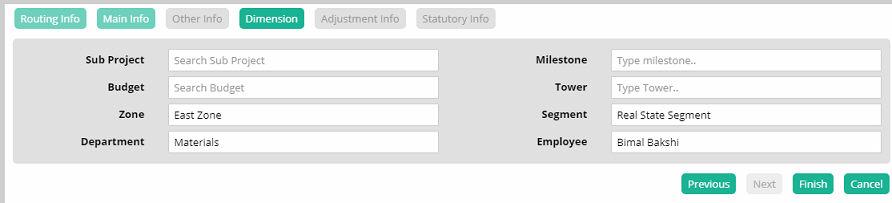
Click 'Finish'. The Journal Entry for Credit gets completed.
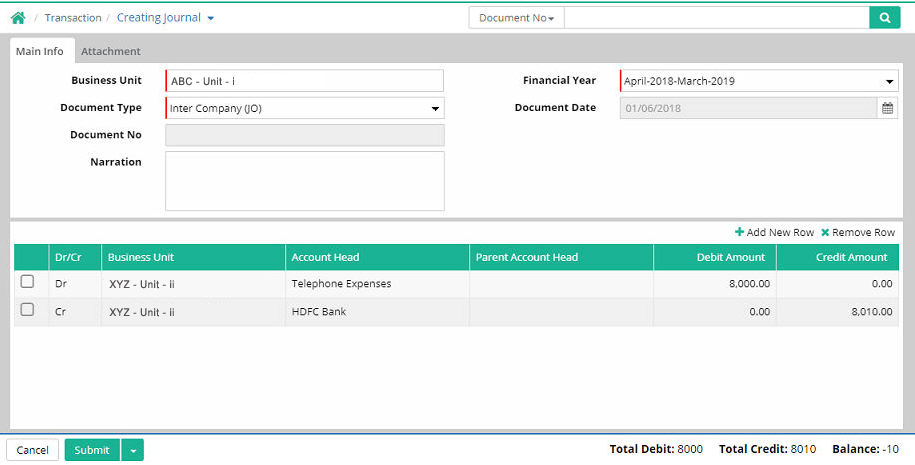
To make a new entry for Bank Account Charges, click ‘Add New Row’ link again.
A. Routing Info
Select 'Business Unit' and 'Prefix'

B. Main Info
Select Cr, Account Head and enter Amount

C. Dimension
Enter narration
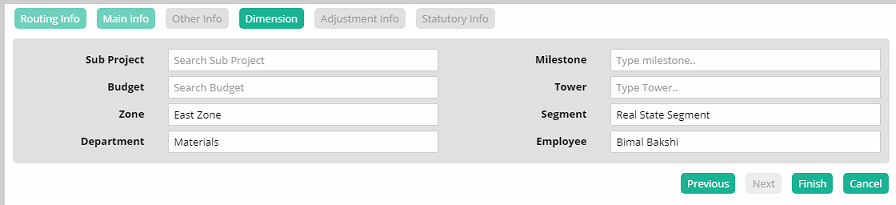
Click 'Finish'. The Journal Entry gets completed.
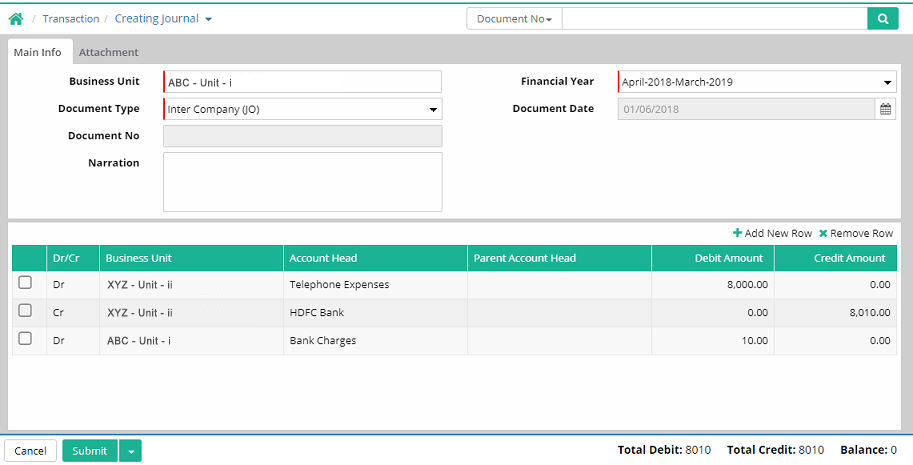
Click ‘Submit’ to stay in the form and make another entry.
Click ‘Save & Close’ to save the entry and exit from the interface.

© Gamut Infosystems Limited