Offer of Possession
Offer of Possession is an intimation letter to customer for confirming that all dues outside of the agreement value have been cleared before handover of unit, i.e. before giving possession. In this letter the developer mentions all dues which had to be paid and receipt of payment details against them. Stamp Duty, legal fees have to be paid but they were not part of the agreement, are a payment for a service not being provided by the developer.
This is a memorandum entry, there is no impact on financial ledgers, no link with invoice/money receipt.
It will not give any financial effect in Finance module. It is only for information purpose.
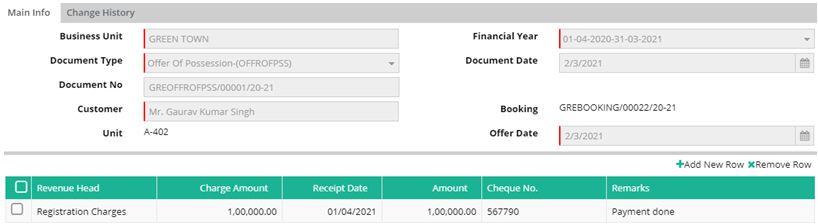
Business Unit: Select the Business Unit for which possession entry to be done
Document Type: Select document type from drop down Offer of Possession (OFFROFPSS)
Document Date: Give the document date
Customer: Select the customer whose offer for possession is to be processed. Customer Unit information and Booking number will be displayed
Offer Date: Give the date when offer for possession is scheduled to take place
Click on +Add New Row to give details.
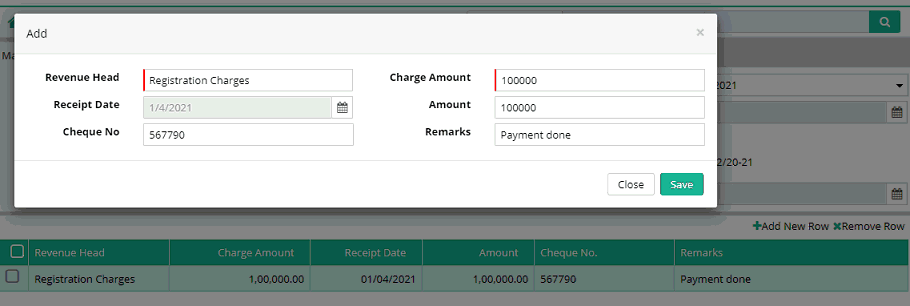
Revenue Head: Select Revenue head against which payment is due
Charge Amount: Enter amount due against the selected Revenue Head
Receipt Date: Date when payment was received
Amount: Enter amount received from the customer
Cheque No.: Give instrument number through which payment is received
Remarks: This field is used if user wants to give any remarks
After giving all required information click on submit button to save the record.
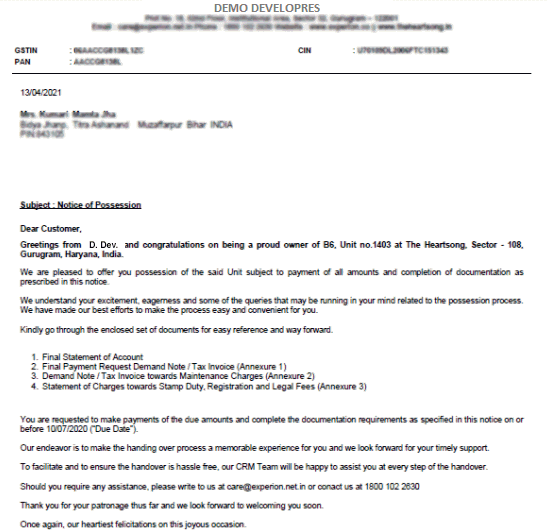
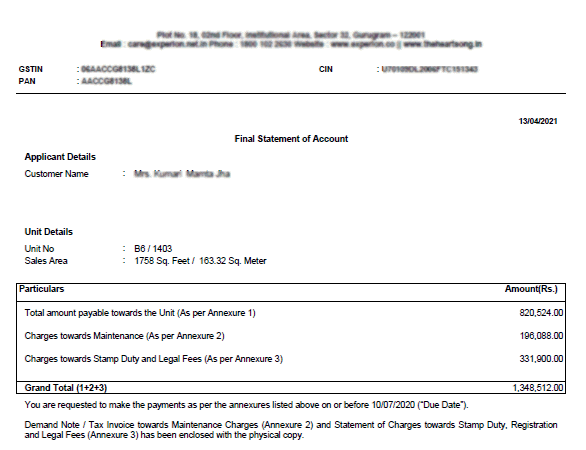
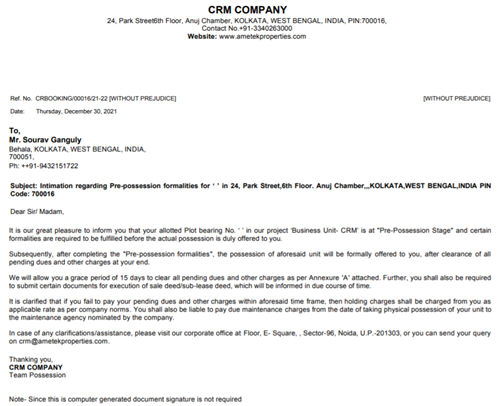
Document format can be seen as –
Printing Offer of Possession entry
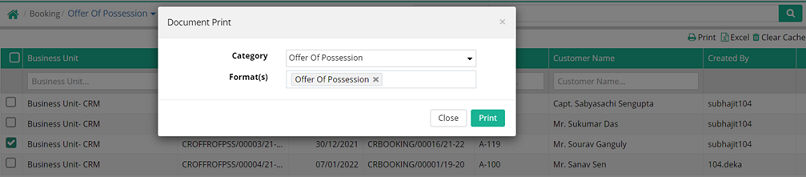
Step1: Go to Advance Search of Offer of Possession
Step2: Select any document number and click on Print
Sample Offer of Possession
Sending Email from Offer of Possession Advance Search
Users will be able to send email against offer of Possession entry.
Step 1: Go to Administration > Communicator > Email Template
Step 2: Create an Email Template with the Entry Type- “Offer of Possession”

Step 3: Go to the Advance Search option of the Offer of Possession interface
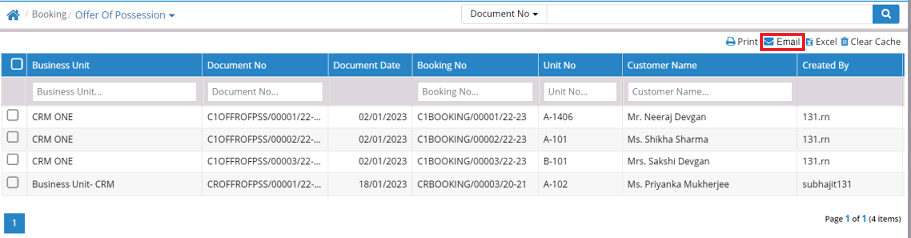
Step 4: Select required offer of possession entry
Step 5: Click on Email
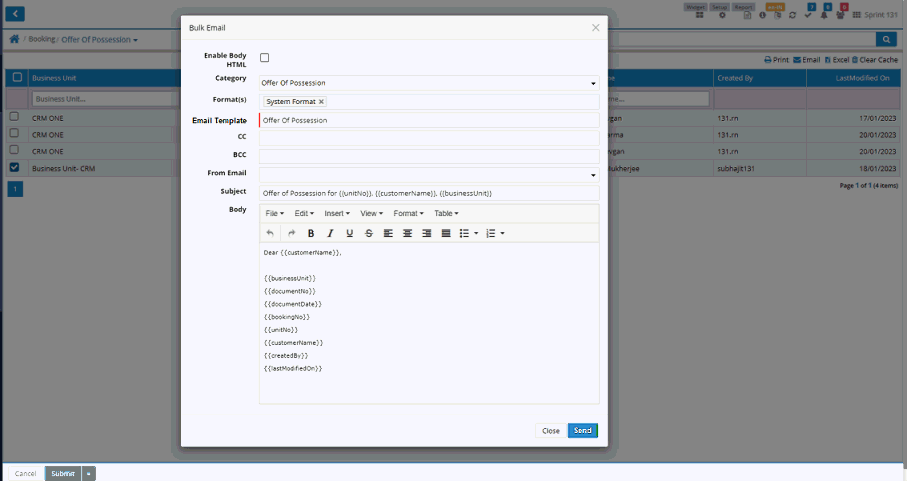
Step 6: Select Email Template and then click on Send button to send the email
© Gamut Infosystems Limited